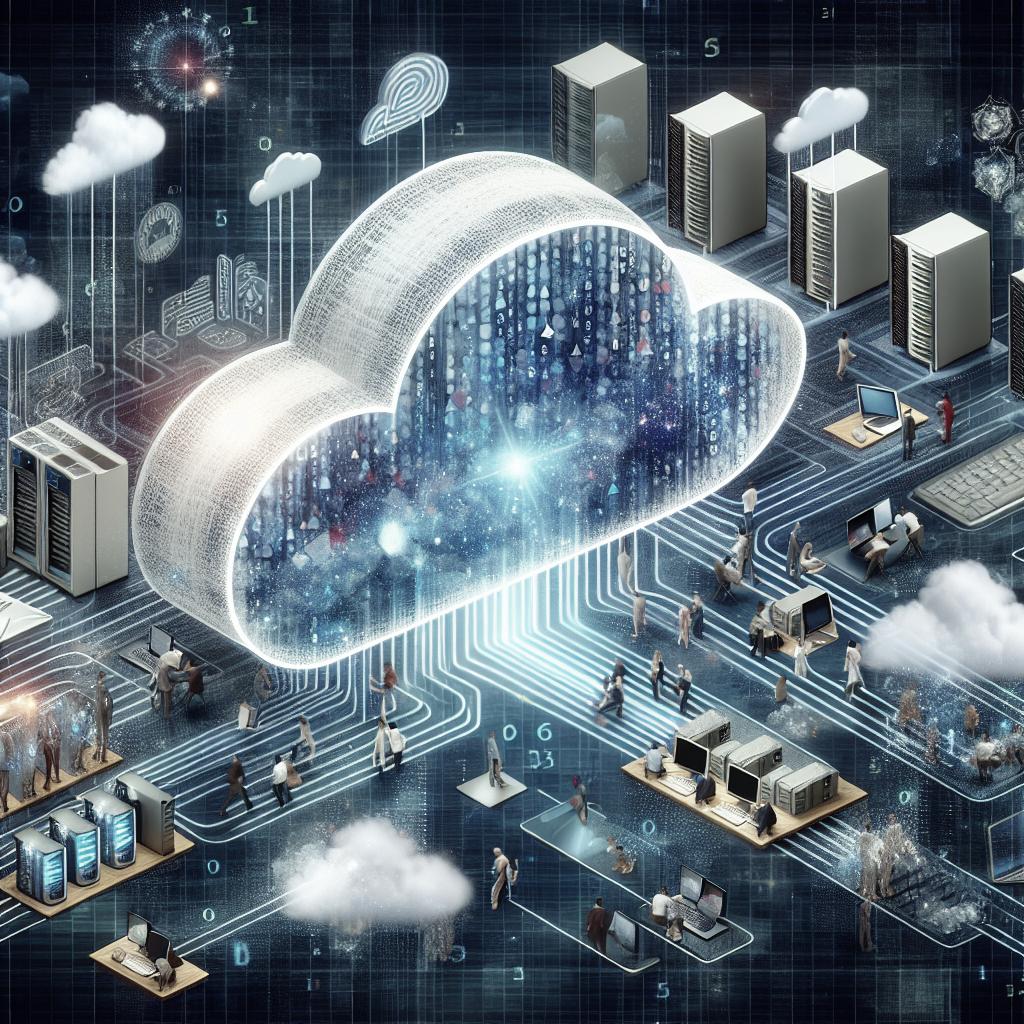
In today’s digital age, cloud computing has become a cornerstone of how we store and process data. From personal storage solutions to enterprise-level computing, the cloud offers numerous benefits and challenges. This comprehensive guide will delve into the fundamentals of cloud computing, explaining how it works and exploring its origins. We’ll also look at the architecture of cloud systems, the different service and deployment models, and the advantages and disadvantages that users face. Whether you’re an industry professional or a curious learner, this article will provide you with a valuable understanding of cloud computing’s place in modern technology and how it can impact your daily operations.
Basics Of Cloud Computing
Cloud computing is the practice of using a network of remote servers hosted on the Internet to store, manage, and process data. This differs from using a personal computer or local server. With cloud computing, users can access and utilize applications over the internet without having to manage the infrastructure directly. The primary allure of cloud computing is its ability to provide on-demand computing resources, enhancing convenience and efficiency for both businesses and individuals.
Cloud computing eliminates the need for expensive infrastructure and maintenance, offering scalable resources that can be quickly adjusted to meet changing demand. This flexibility allows businesses to innovate rapidly without the limitations of traditional IT hardware expenses. By facilitating remote access to data and applications, cloud computing also supports the growing trend towards telecommuting and mobile workplaces, empowering businesses to operate efficiently across multiple geographic locations.
How Cloud Computing Works?
At its core, cloud computing functions through a combination of client devices accessing a virtual pool of resources hosted on remote data centers. Users interact with cloud-based applications through a user interface, often a web browser or mobile application. The backend hosts and processes the data on servers managed by cloud service providers, delivering results to the user’s device over the internet.
The process is streamlined through virtualization technology, which allows multiple virtual machines to operate on a single physical server. This approach enables providers to offer more resources than the software and hardware at their disposal physically possess. By leveraging these resources elastically, cloud computing facilitates access according to users’ needs, allowing businesses to dynamically scale their operations.
Origins Of Cloud Computing
The concept of cloud computing traces its origins back to the 1960s when computer scientist J.C.R. Licklider envisioned an “intergalactic computer network” for global access to data and programs. However, it wasn’t until the late 1990s and early 2000s that cloud computing began taking the form we recognize today, with the advent of the internet and higher capacities for data storage and processing.
Companies like Amazon and Google played pivotal roles in popularizing cloud computing by launching their own cloud services in the early 2000s. The introduction of Amazon Web Services (AWS) marked a significant milestone, providing a robust infrastructure for businesses to offload and manage their IT operations. Google, meanwhile, enhanced cloud collaboration with Google Docs, offering users the ability to create and share content seamlessly.
What is Virtualization In Cloud Computing?
Virtualization is a crucial technology that underpins cloud computing, allowing physical hardware resources to be divided into multiple virtual environments. Virtual machines (VMs) can run operating systems and applications independently, providing a versatile and cost-effective way to increase hardware utilization and efficiency.
By using a hypervisor, virtualization creates and manages these VMs, enabling users to run different systems on one physical server. This capability supports the rapid provisioning of resources in cloud environments, helping businesses optimize their IT costs and improve software deployment processes.
Architecture Of Cloud Computing
1. Front End ( User Interaction Enhancement )
The front-end is the part of the cloud architecture that the user interacts with directly. It is typically a web browser or a mobile application that allows users to access cloud services. This layer includes user interfaces and client devices, offering essential tools for browsing and utilizing cloud resources.
Strong front-end design is crucial for ensuring a seamless user experience, enabling users to efficiently access and manage their data in the cloud. Responsive design and intuitive navigation enhance the accessibility and functionality of cloud services, making them more user-friendly.
2. Back-end Platforms ( Cloud Computing Engine )
The back-end encompasses the cloud infrastructure, consisting of the storage, servers, and networking components that power cloud services. This layer manages all the data storage and processing that take place within the cloud infrastructure, providing the computational horsepower for services accessed by users.
Cloud providers are responsible for maintaining these resources, ensuring their reliability and security. Back-end systems are designed to handle large workloads efficiently, supporting a multitude of users and devices simultaneously by leveraging advanced computing technology.
3. Cloud-Based Delivery and Network
Cloud-based delivery refers to the method by which cloud services are made available to users over the internet. This involves the transmission of data between servers and end-users via a robust network infrastructure that guarantees minimal latency and high-speed connectivity.
Providers employ content delivery networks (CDNs) to streamline data distribution, facilitating quick access to content irrespective of geographical location. This aspect of cloud architecture is vital for ensuring consistent performance and availability of cloud services.
What Are The Types of Cloud Computing Services?
1. Infrastructure as a Service ( IaaS )
IaaS provides fundamental computing resources such as virtual machines, storage, and networking. It allows businesses to build virtual data centers and manage their infrastructure directly, offering flexible scalability and control over IT resources.
Providers like AWS, Microsoft Azure, and Google Cloud offer IaaS solutions, enabling businesses to operate without the constraints of physical hardware, reducing operational costs while enhancing disaster recovery capabilities.
2. Platform as a Service ( PaaS )
PaaS offers an environment for developing, testing, and deploying applications in the cloud. Developers can build custom applications without managing the complexity of the underlying hardware, improving productivity and reducing time to market.
This service model facilitates collaboration among development teams, incorporating tools for source control, security, and database management. Cloud service providers extend PaaS solutions with pre-built development frameworks and analytics capabilities.
3. Software as a Service (SaaS)
SaaS provides fully functional applications over the internet, eliminating the need for users to install and maintain software on local machines. Applications are hosted on the provider’s infrastructure and are accessible via a web browser.
Popular examples of SaaS encompass solutions like Microsoft Office 365, Google Workspace, and Salesforce. Users benefit from seamless updates and maintenance while enjoying the ability to access their applications from any location with an internet connection.
4. Function as a Service (FaaS)
FaaS extends the concept of cloud services by enabling developers to execute code in response to specific events without having to provision or manage servers. This serverless computing model optimizes resource utilization and cost efficiency.
Event-driven execution allows businesses to pay only for code execution rather than pre-allocated compute resources. This is exemplified in platforms such as AWS Lambda and Google Cloud Functions, which provide the infrastructure required for serverless applications.
What Are Cloud Deployment Models?
1. Private Deployment Model
A private cloud is exclusive to a single organization, providing a bespoke environment tailored to specific business requirements. It offers enhanced security and control but may require substantial investment in infrastructure.
This model is ideal for organizations with strict regulatory requirements or those that manage sensitive data. Private clouds can be hosted on-premise or by third-party providers, offering varying levels of management.
2. Public Deployment Model
The public cloud is a multi-tenant environment where services are offered to multiple organizations simultaneously. It provides cost benefits, scalability, and reduced maintenance, as users share resources provided by a third-party vendor.
Public clouds, managed by providers such as AWS, Azure, and Google Cloud, are ideal for businesses seeking flexibility and cost-effectiveness. They allow dynamic scaling in response to demand fluctuations and facilitate global reach.
3. Hybrid Deployment Model
A hybrid cloud combines private and public cloud environments, offering the best of both worlds. Organizations can maintain control over sensitive data while benefiting from the scalability and elasticity of the public cloud for less critical operations.
This model supports resource optimization, allowing workloads to be dynamically distributed between private and public environments based on demand, cost considerations, and strategic objectives.
Cloud Service Models
Cloud service models present varied approaches to utilizing cloud infrastructure, reflecting the diversity of business needs. Infrastructure as a Service (IaaS), Platform as a Service (PaaS), Software as a Service (SaaS), and Function as a Service (FaaS) each offer unique benefits.
These models empower businesses to opt for tailored solutions, aligning cloud adoption strategies with organizational goals. Selecting the right model is crucial for maximizing cloud computing efficiency and ensuring responsive IT operations.
Cloud Virtualization
Virtualization remains a fundamental component of cloud computing, enabling providers to optimize resource use by creating virtual versions of hardware platforms. This abstraction enables multiple virtual instances to operate simultaneously, ensuring efficient hardware utilization.
Through virtualization, businesses can deploy diverse operating systems and applications on a single server, simplifying IT management. This flexibility is vital for agile computing environments where rapid provisioning is essential.
Cloud Service Provider
Cloud service providers manage the infrastructure, platform, and software services that form the backbone of cloud computing. They are responsible for security, maintenance, and infrastructure updates, ensuring high availability and performance.
Market leaders like AWS, Microsoft Azure, and Google Cloud offer robust cloud offerings, extending various service layers to accommodate evolving business needs. Selecting a capable provider is crucial for sustainable cloud operations.
Characteristics Of Cloud Computing
1. Scalability
Cloud computing excels in scalability, enabling businesses to adjust their IT resources dynamically to meet fluctuating demands. This flexibility ensures optimal resource allocation and cost-efficiency, allowing enterprises to remain competitive in dynamic markets.
Automated scalability supports business continuity, enabling seamless expansion without disruptions. Organizations can easily allocate additional resources or scale back when demand diminishes, optimizing expenditure.
2. Save Money
Cloud computing offers significant cost advantages by eliminating the need for substantial upfront investment in IT hardware. Through subscription-based pricing models, organizations can convert capital expenses into operating expenses, improving financial management.
The reduced need for physical infrastructure and maintenance translates into cost efficiencies. Businesses benefit from aligned expenditure with resource use, only paying for services consumed.
3. Reliability
Reliability is paramount in cloud services, achieved through comprehensive data replication and failover mechanisms. Cloud providers implement multi-zone data centers to guarantee uptime and data integrity, ensuring dependable service delivery.
Redundancy and automated recovery bolster cloud service reliability, providing peace of mind for users and minimizing operational disruptions. High availability guarantees business continuity, safeguarding against unforeseen technical challenges.
4. Physical Security
Cloud data centers offer robust physical security measures, protecting sensitive data from physical threats. These facilities employ advanced surveillance, access control, and security protocols to ensure data confidentiality and integrity.
Ensuring physical security is integral to data protection strategies, as it precludes unauthorized access to critical IT resources. Well-regulated data centers stand as bastions of data security.
5. Outsource Management
Migrating to cloud services enables businesses to outsource infrastructure management to dedicated providers. This delegation reduces the burden on internal IT teams while ensuring access to specialized expertise to tackle complex challenges.
Providers assume responsibility for routine maintenance, security updates, and technical support, allowing organizational focus on strategic initiatives and core activities. This operational shift enhances efficiency and business agility.
Top Reasons to Switch from On-premise to Cloud Computing
1. Reduces Cost
Transitioning to cloud infrastructure reduces capital investments in on-premise hardware, facilitating cost savings. Subscription-based pricing allows organizations to manage expenditure efficiently by aligning costs with dynamic IT needs.
Additionally, the cloud model eliminates the need for ongoing maintenance and replacement of outdated technology, further enhancing financial flexibility for enterprises seeking sustainable growth.
2. More Storage
Cloud computing provides expansive storage options, eradicating the limits of traditional hardware. Businesses can effortlessly scale their storage capacity to align with evolving data requirements, eliminating space constraints associated with physical environments.
This capability supports cost-effective data management and rapid expansion, enabling organizations to capitalize on analytics and big data initiatives without restrictions.
3. Employees Better Work Life Balance
By facilitating remote work, cloud computing contributes to improved workplace flexibility. Employees can access resources and collaborate with colleagues seamlessly from any location, promoting work-life balance and enhanced job satisfaction.
The ability to work remotely empowers employees to manage personal responsibilities alongside professional commitments, supporting an engaged and productive workforce, and fostering a culture of trust and autonomy.
Top leading Cloud Computing Companies
The cloud computing market is dominated by key players known for their innovative solutions and reliable service delivery. Amazon Web Services (AWS) leads the industry by offering comprehensive cloud services ranging from storage to machine learning.
Microsoft Azure and Google Cloud Platform provide formidable competition, known for their robust infrastructure, extensive integration capabilities, and advanced AI solutions. Each of these companies continues to expand its service offerings, driving innovation and shaping the future of cloud computing.
Advantages of Cloud Computing
1. Cost Efficiency
Cloud computing significantly reduces IT costs by allowing businesses to pay only for the resources they use. The flexible pricing models help minimize capital expenses while optimizing operational expenditure, enhancing overall cost-efficiency for businesses.
Economies of scale achieved through shared cloud resources further drive down costs, allowing organizations to allocate resources towards growth and innovation initiatives.
2. Flexibility and Scalability
The cloud stands out for its unparalleled flexibility and scalability. Businesses can rapidly scale infrastructure in response to demand shifts, supporting business agility and enabling a swift response to market changes without the confines of traditional IT systems.
This adaptability extends to service models, where organizations can seamlessly slot various solutions into existing IT architectures. Flexibility facilitates experimentation and innovative initiatives, supporting growth and transformation.
3. Collaboration and Accessibility
Cloud computing empowers teams to collaborate effectively by providing real-time access to shared resources. Employees can work from any device with an internet connection, ensuring seamless collaboration across geographic boundaries.
Through shared documents and collaborative tools, cloud services streamline workflows, promoting efficient communication and enhanced productivity, thereby supporting a dynamic and unified workforce.
4. Automatic Maintenance and Updates
By hosting applications and infrastructure in the cloud, businesses benefit from automatic updates and maintenance performed by cloud providers. This ensures systems remain current and secure without interrupting operations or requiring additional resources.
Automatic maintenance relieves IT teams from the burden of regular upgrades, freeing them to focus on strategic projects, driving innovation and staying competitive in the technology landscape.
Disadvantages Of Cloud Computing
1. Security Concerns
Despite robust security measures by providers, cloud computing presents unique security challenges. Sensitive data stored off-premise can be susceptible to breaches, emphasizing the need for trust in cloud providers’ security protocols.
Ensuring data protection and compliance necessitates vigilance in vendor selection and diligent oversight of cloud environments, with a focus on encrypting sensitive data and implementing robust access controls.
2. Downtime and Reliability
Although generally reliable, cloud services may experience downtime due to provider issues or network failures. These disruptions affect service availability and can impair operations, stressing the importance of contingency plans.
Businesses reliant on continuous uptime should assess service level agreements (SLAs) rigorously and consider multi-cloud strategies to mitigate the impact of potential outages on their operations.
3. Dependency on Internet Connectivity
Cloud services inherently rely on internet connectivity, which can be a drawback in regions with unreliable or slow internet access. This dependence can hinder cloud access and lead to productivity challenges.
Investment in robust internet infrastructure or contingency plans for offline access may be necessary to counteract connectivity limitations, ensuring continued access to vital resources.
4. Cost Management Complexity
While cost-efficient, cloud computing introduces complexities in cost management. Dynamic pricing models necessitate vigilant monitoring of resource consumption to prevent inadvertent cost escalations.
Organizations need sophisticated tools and processes to oversee and optimize cloud expenditure, ensuring alignment with budgetary constraints and maximizing return on investment.
Cloud Sustainability
1. Energy Efficiency
Cloud computing supports sustainability through efficient resource utilization, contributing to lower energy consumption compared to traditional data centers. Providers optimize electricity use, reducing environmental impact.
This efficiency is achieved through technological innovations, such as advanced cooling systems and optimized server utilization, ensuring that cloud solutions align with sustainability goals.
2. Renewable Energy
Leading cloud providers increasingly invest in renewable energy sources, committing to reducing their carbon footprint. By harnessing solar, wind, and other renewable resources, they aim to power their data centers sustainably.
This transition to green energy underlines cloud providers’ commitment to environmental stewardship, reflecting an industry-wide move towards sustainable business practices in line with global climate commitments.
3. Virtualization
Virtualization advances sustainability by reducing the need for physical hardware, promoting more efficient use of computing resources. By running multiple virtual environments on fewer servers, energy consumption is minimized, contributing to eco-friendly operations.
The capability to repurpose existing hardware for new tasks extends the hardware lifecycle, reducing electronic waste and conserving resources. Virtualization remains a pivotal aspect of sustainable IT practices.
Cloud Security
1. Data Encryption
Data encryption is a fundamental security measure, ensuring that data remains protected during transmission and storage. By encrypting information, cloud providers safeguard against unauthorized access and data breaches.
Encryption solutions vary from provider to provider, offering businesses various levels of security depending on their sensitivity requirements. Robust encryption guarantees that data remains confidential, supporting compliance with rigorous data protection regulations.
2. Access Control
Access control mechanisms regulate who can access cloud resources, providing an essential layer of security. Role-based access control (RBAC) and identity management systems ensure only authorized users gain access to sensitive information.
Implementing stringent access policies, including user authentication and rights management, is crucial for minimizing unauthorized access risks and ensuring regulatory compliance across industries.
3. Multi-Factor Authentication (MFA)
MFA enhances security by requiring multiple forms of verification before granting access. This ensures that even if one credential is compromised, additional layers protect data and systems from unauthorized access.
The use of MFA is a standard practice in securing cloud services, significantly reducing the risk of identity theft and strengthening overall security posture. It stands as a critical aspect of comprehensive cloud security strategies.
Use Cases Of Cloud Computing
1. Scalable Infrastructure
Cloud computing is ideal for building scalable infrastructures that support growing businesses. It allows enterprises to adjust their capacity according to demand fluctuations, ensuring reliable performance without overprovisioning resources.
This capability is useful for businesses experiencing seasonal spikes or rapid growth, as they can quickly scale resources to align with customer needs without encountering performance bottlenecks.
2. Efficient Application Development
Developers leverage cloud platforms to accelerate application development through access to cutting-edge tools and environments. The cloud facilitates rapid prototyping, testing, continuous integration, and delivery, optimizing the software development lifecycle.
PaaS offerings simplify the development process by providing necessary infrastructures, such as databases and development frameworks, allowing teams to focus on building innovative features instead of managing hardware.
3. Streamlined Software Access
Cloud computing provides seamless access to a variety of software through SaaS models, eliminating the need for local installations. Users can access applications anywhere, facilitating remote work environments and business continuity.
Businesses benefit from streamlined application deployment, maintenance, and updates, reducing IT overhead and ensuring employees always have access to the latest versions of essential software.
4. Data Analytics
Cloud platforms empower businesses to harness data analytics with powerful computing resources and scalable storage. Organizations can store, process, and analyze vast amounts of data effortlessly, unlocking insights that drive strategic decision-making.
Big data tools available in the cloud support advanced analytics, enabling real-time data exploration, machine learning, and predicting customer trends. This results in more informed business strategies and a competitive edge in data-driven markets.
5. Disaster Recovery
Cloud computing offers robust disaster recovery solutions, ensuring business continuity in the event of data loss or hardware failure. Data replication and automated backups safeguard critical information, allowing quick recovery with minimal disruption.
Cloud-based disaster recovery solutions are more cost-effective and scalable than traditional on-premise solutions, providing peace of mind for organizations facing potential risks from unforeseen incidents.
Advanced Concepts of Cloud
Beyond foundational models, advanced cloud concepts include edge computing, artificial intelligence integration, and distributed cloud architectures, each contributing to an enhanced cloud landscape. Edge computing brings data processing closer to the source for real-time insights and reduced latency.
Integrating AI into cloud environments enhances intelligence capabilities, supporting predictive analytics and automated decision-making processes. Distributed cloud solutions enable businesses to enjoy the benefits of multiple cloud environments, optimizing resource allocation and operational efficiency.
Similar Reads
Schlussbetrachtung in Tabellenform
| Thema | Hauptpunkte |
|---|---|
| Grundlagen der Cloud Computing | Entlastet Nutzer durch Online-Dienste, flexible Ressourcennutzung, fördert mobile Arbeitsweise. |
| Funktionsweise | Remote-Zugriff auf Anwendungen, effiziente Ressourcennutzung via Virtualisierung. |
| Entwicklungsgeschichte | Etabliert in den 2000er Jahren, signifikante Beiträge durch Amazon und Google. |
| Virtualisierung | Ermöglicht gleichzeitiges Funktionieren mehrerer VMs auf einem Server. |
| Architektur | Front-End (Nutzeroberfläche) und Back-End (Ressourcenverwaltung), sowie Datenübertragung über Netzwerke. |
| Sevice-Modelle | IaaS, PaaS, SaaS, FaaS – jeweils mit spezifischen Anwendungen und Vorteilen. |
| Einsatzarten | Private, öffentliche, und hybride Clouds mit unterschiedlichen Nutzungsszenarien. |
| Vorteile | Kosteneffizienz, Flexibilität, zugängliche Zusammenarbeit, automatische Wartung. |
| Nachteile | Sicherheitsbedenken, Abhängigkeit von der Internetverbindung, Kostenkomplexität. |
| Sicherheit und Nachhaltigkeit | Datenverschlüsselung, Zugriffssteuerung, Energieeinsparungen durch Virtualisierung. |
FAQ
What is cloud computing in simple terms?
Cloud Computing ist eine Technologie, die es ermöglicht, IT-Ressourcen wie Speicherplatz, Rechenleistung oder Software über das Internet zu nutzen und zu verwalten, anstatt sie auf deinem eigenen Computer oder Server zu haben. Stell dir vor, du mietest diese Ressourcen von einem Cloud-Anbieter, wann immer du sie brauchst, anstatt sie selbst zu besitzen und pflegen zu müssen. Das macht es einfacher und oft kostengünstiger, IT-Dienste zu nutzen, weil du nur für das bezahlst, was du tatsächlich nutzt.
What are the 4 types of cloud computing?
Die vier Haupttypen von Cloud Computing sind:1. **Public Cloud**: Bei diesem Modell bieten Cloud-Dienstleister ihre Ressourcen wie Server und Speicher über das Internet der allgemeinen Öffentlichkeit an. Es ist kostengünstig und erfordert keinen hohen Verwaltungsaufwand.2. **Private Cloud**: Diese Cloud wird nur von einem einzelnen Unternehmen genutzt. Die Ressourcen sind nicht öffentlich zugänglich, was mehr Kontrolle und Sicherheit bietet. Die Verwaltung kann entweder intern oder von einem Drittanbieter übernommen werden.3. **Hybrid Cloud**: Dieses Modell kombiniert Public und Private Clouds und ermöglicht es Daten und Anwendungen, sich zwischen beiden zu bewegen. Dadurch können Unternehmen mehr Flexibilität genießen und gleichzeitig Sicherheitsanforderungen erfüllen.4. **Community Cloud**: Diese wird von mehreren Organisationen mit gemeinsamen Anliegen oder Zielen genutzt. Sie teilen sich die Infrastruktur, was die Kosten senkt und die Zusammenarbeit erleichtert.Diese Modelle bieten unterschiedliche Vorteile, je nach den spezifischen Anforderungen an Flexibilität, Kosten und Kontrolle.
What is cloud-based in simple words?
Cloud-based bedeutet, dass Daten und Anwendungen nicht auf deinem eigenen Computer gespeichert sind, sondern auf entfernten Servern im Internet. Du kannst auf sie zugreifen, solange du eine Internetverbindung hast, ähnlich wie beim Streamen von Videos oder Musik. Es spart Platz auf deinem Gerät und ermöglicht es dir, von überall aus zu arbeiten.
Where is cloud computing used?
Cloud Computing wird in vielen Bereichen eingesetzt:1. **Unternehmen**: Für Datenspeicherung, Software-Anwendungen und Verarbeitung großer Datenmengen.2. **Bildung**: Für Online-Lernplattformen und den Zugang zu Lernmaterialien von überall aus.3. **Gesundheitswesen**: Zur Speicherung von Patientendaten und für den schnellen Zugriff auf Informationen.4. **Unterhaltung**: Für Streaming-Dienste wie Filme, Musik und Spiele.5. **Persönlicher Gebrauch**: Zum Speichern von Fotos, Videos und Dateien, die von verschiedenen Geräten aus zugänglich sind.6. **Softwareentwicklung**: Für das Testen und Entwickeln von Anwendungen in skalierbaren Umgebungen.Insgesamt ermöglicht Cloud Computing den Zugriff auf Ressourcen und Dienste über das Internet, ohne dass eine lokale Infrastruktur erforderlich ist.